Create chaos on the road with realistic oil slicks for your enemies!
A realistic and configurable system that lets you pour oil from the drum in your vehicle to create slippery surfaces on the road
Transform your FiveM server with this advanced oil drum system that lets players purchase, modify, and deploy oil slicks to create thrilling police chases and tactical gameplay. Players can drill oil drum with screwdriver set, install electronic kit for remote activation, then spill oil while driving to make pursuing vehicles lose control and crash. Customizable configurations, and optimized performance for seamless multiplayer experiences.
✨ Features
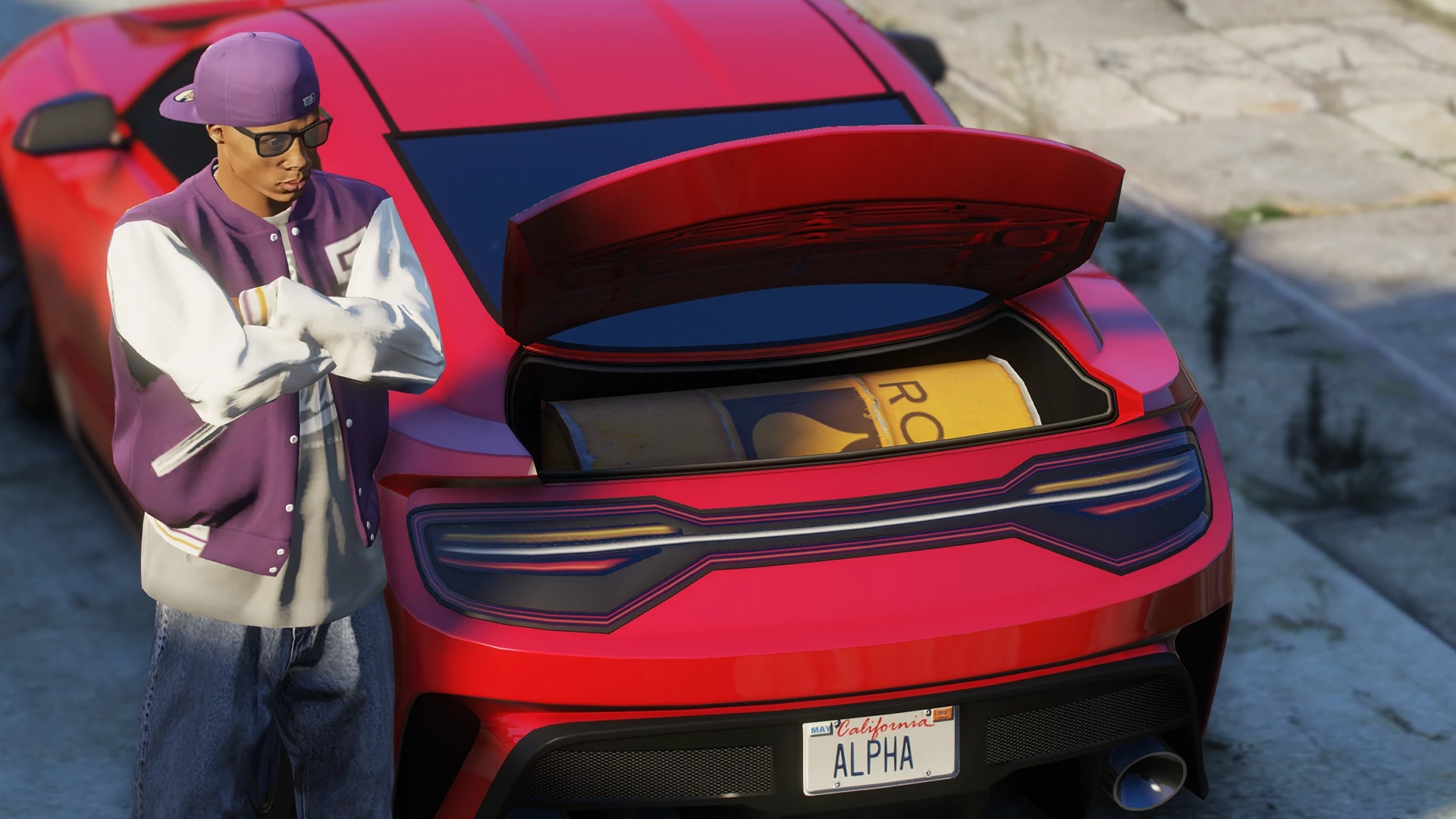
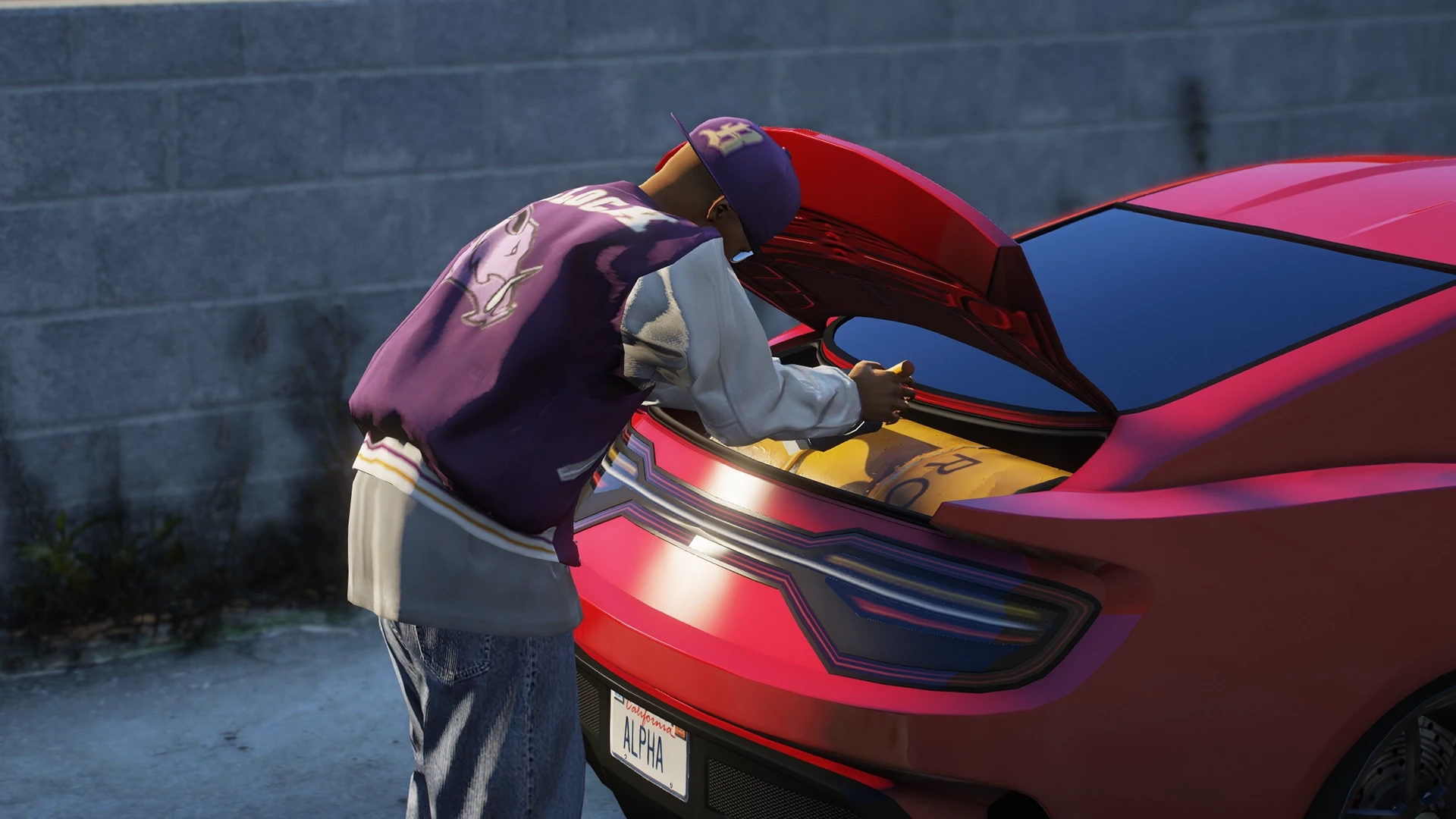
- 🛢️ Realistic Oil Drum System - Purchase and install oil drum in your vehicle's trunk with animations and progressions
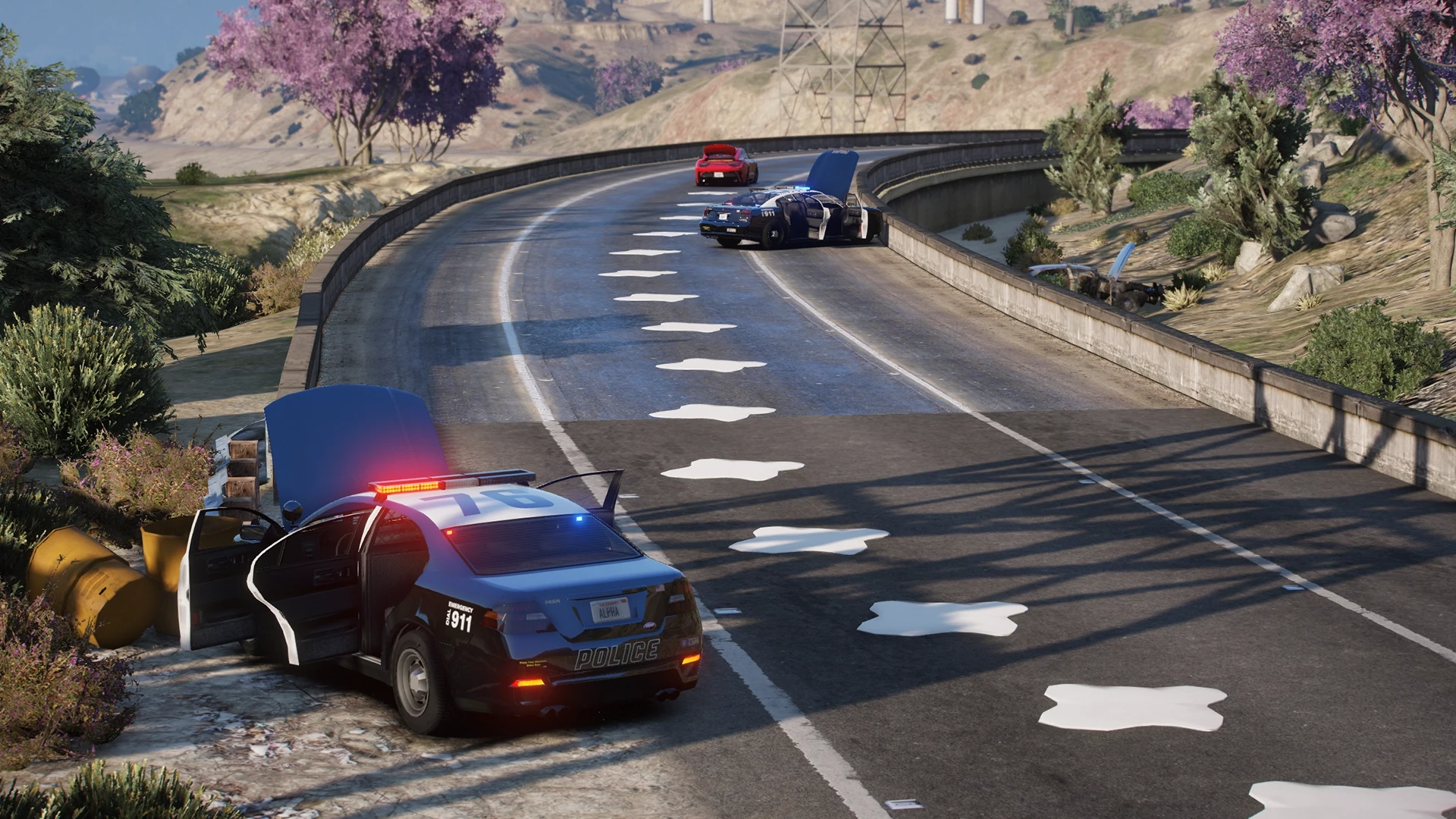
- 💧 Dynamic Oil Pouring - Create slippery oil slicks on the road with realistic positioning behind your vehicle
- 🚗 Smart Vehicle Detection - Automatic oil slick effects when vehicles drive over them with customizable slip intensity
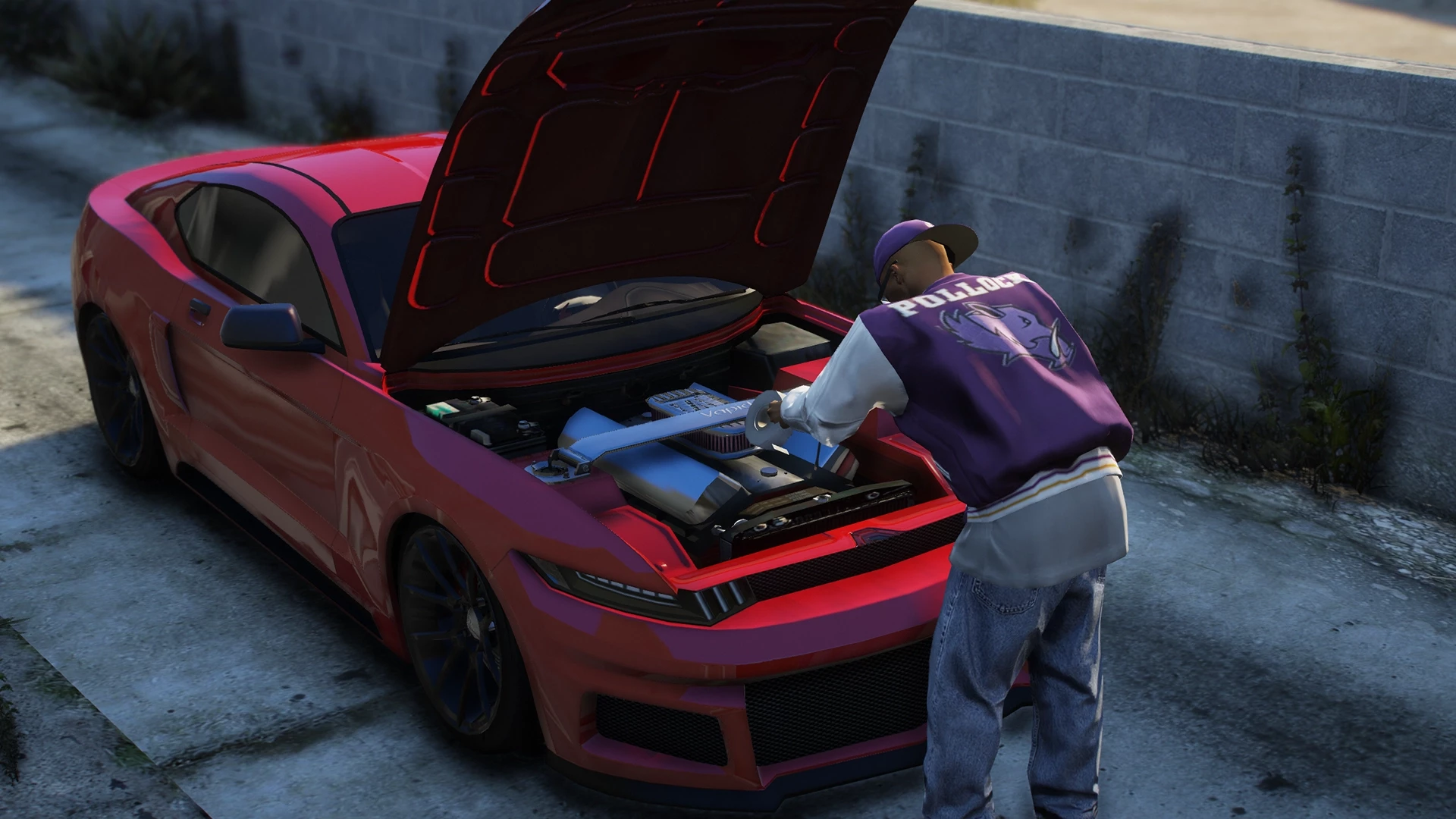
- 🔧 Installation Process - Multi-step installation requiring tools (screwdriver set + electronic kit) for realistic roleplay
- 👮 Police Alert System - Configurable chance for police to be notified when someone purchases oil drums
- 🎯 Target Integration - Full compatibility with popular target systems or traditional key-press interactions
- 🚫 Vehicle Restrictions - Blacklist system for emergency vehicles and inappropriate vehicle classes
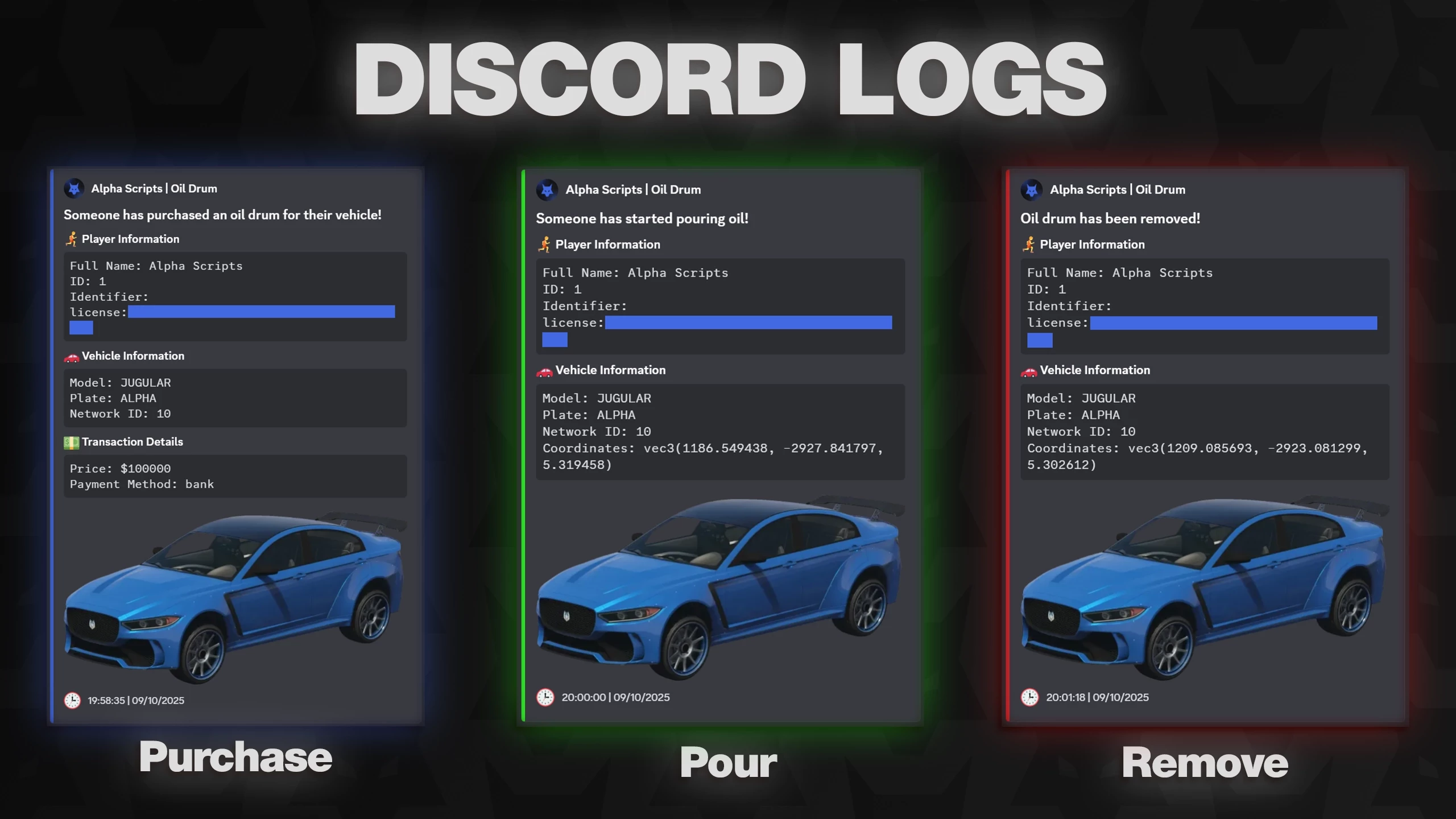
- 📱 Discord Logging - Comprehensive webhook logging with custom embeds and vehicle images
- ⚡ Performance Optimized - Fully optimized for smooth gameplay with multiple players
- 🌍 Multi-Language Support - English and Turkish included, easily expandable for more languages
- 🔒 Job-Based Removal - Allow specific jobs to remove oil drums from vehicles
⚙️ Configurable Settings
- 💰 Economic Balance - Set oil drum prices and currency display to match your server's economy
- ⏱️ Timing Control - Customize all animation durations, oil pouring rates, and cleanup times
- 🎯 Slip Intensity - Choose between light drift or heavy slipping effects for oil slicks
- 📍 NPC Vendor Location - Position the oil drum seller anywhere on your map with custom ped models
- 🚨 Police Alert Rates - Fine-tune how often police get notified (0-100% chance)
- 🔧 Required Items - Customize which tools are needed for installation and removal
- 🚗 Vehicle Positioning - Adjust oil drum placement for specific vehicle models
- 👥 Job Permissions - Configure which jobs can remove drums and minimum grade requirements
- 🎨 Discord Customization - Personalize webhook colors, avatars, and custom vehicle images
- 🚫 Restriction Control - Block specific vehicle models or entire vehicle classes
🎮 Default Keybinds
| Key | Action | Description |
|---|
| H | Pour Oil | Hold to activate oil pouring (requires installed oil drum) |
| F5 | Drill Oil Drum | Start drilling hole in oil drum |
| F6 | Connect Electronic Kit | Install electronic kit to vehicle's engine |
| F9 | Check if Drilled | Check if the oil drum has been drilled |
| F10 | Check if Electronic Kit Connected | Check if electronic kit is properly connected |
| F11 | Remove Oil Drum | Remove the oil drum from the vehicle |
💡 All keybinds can be changed in FiveM Settings > Key Bindings > FiveM section
🎯 Target System Integration: If target system is enabled, you can also perform all these actions by targeting your vehicle instead of using keybinds
🎓 Installation
- Download the resource and place it in your
resources folder - Add
ensure alpha-OilDrum to your server.cfg - Configure the script in
Shared/Config.lua - Add required items to your inventory system:
screwdriverset - Used for drilling oil drumselectronickit - Used for electronic modifications
- Start your server
📖 Usage Guide
🛒 Step 1: Purchase Oil Drum
- Find the NPC vendor at the configured location (default: docks area)
- Interact with the vendor using target or key press
- Purchase an oil drum for the configured price
- ⚠️ Police may be alerted based on server settings
🔧 Step 2: Installation Process
- Drilling: Use a screwdriver set to drill holes in the drum (press F5 or use target)
- Electronics: Install the electronic kit for remote activation (press F6 or use target)
- Both steps require specific items and take time to complete
💧 Step 3: Using Oil Slicks
- Drive to your desired location
- Hold H key for the configured time to activate oil pouring
- Oil will pour behind your vehicle as you drive
- Other vehicles driving over the oil will slip and lose control
- Oil slicks automatically clean up after the configured time
🚨 Step 4: Removal
- Authorized jobs can remove oil drums from suspect vehicles (access can be configured to allow everyone to remove the oil drum)
- Requires configured tools and grade permissions
- Removal process takes time and generates Discord logs
Support & Updates
For support, updates, and more premium scripts, join our community!
We provide regular updates and quick support for all our products.
⚠️ Important Anti-Cheat Notice
🛡️ Client-Side Object Creation
The oil drum object is created CLIENT-SIDE ONLY and is visible only to the client.
⚠️ IMPORTANT: If your anti-cheat system blocks client-side object creation, this script will not work properly.
🚫 NO REFUNDS will be provided if your anti-cheat prevents the oil drum objects from spawning.
Please test compatibility with your anti-cheat system before purchase. Common anti-cheats that may interfere include strict object creation restrictions.


![Oil Drum [Escrow]](http://dunb17ur4ymx4.cloudfront.net/packages/images/cf18b36930b58ccf29ee32171e6f24572ed54fec.jpg)
![Nail Box [Escrow]](http://dunb17ur4ymx4.cloudfront.net/packages/images/5049d23819d9598537658b9d020d137f62fb5d73.jpg)
![Multiplayer Delivery Job [Escrow]](http://dunb17ur4ymx4.cloudfront.net/packages/images/e224893d5b27caabdad60266c63928e11dbf69d1.jpg)
![Crafting V3 [Escrow]](http://dunb17ur4ymx4.cloudfront.net/packages/images/5dc402ad8214289d66cd0d26630d6e0235e63b70.jpg)
![Oil Drum [Open Source]](http://dunb17ur4ymx4.cloudfront.net/packages/images/2da457ee2103f14dd3d84199032a8e76da8e8943.jpg)
![Nail Box [Open Source]](http://dunb17ur4ymx4.cloudfront.net/packages/images/654b7172ff2e18b64bd3aca0adf7c78e06feff1f.jpg)
![Crafting V3 [Open Source]](http://dunb17ur4ymx4.cloudfront.net/packages/images/39097efaba5f02f7b59a2992bf417660b4eec7db.jpg)